If you want to delete your digital identity or digital account, follow the steps provided below. You can do it through our website or app.
Important! By deleting your digital account do not erase your client data, it will just eliminate your digital identity (user and password). You will be also losing your Marketplace order data if you have any. Deliting your account you won't be able to log in within our app or website, because the user and password are shared in both of them. Beware, his action can not be undone, it is irreversible.
WEB
To proceed through our website, follow the next steps:
1. Access to your account and enter in 'My Account / Mi Cuenta'.
2. Press 'Log in and security / Info de sesión y Seguridad'.
3. Select 'Solicitud de eliminación / Delete request'.
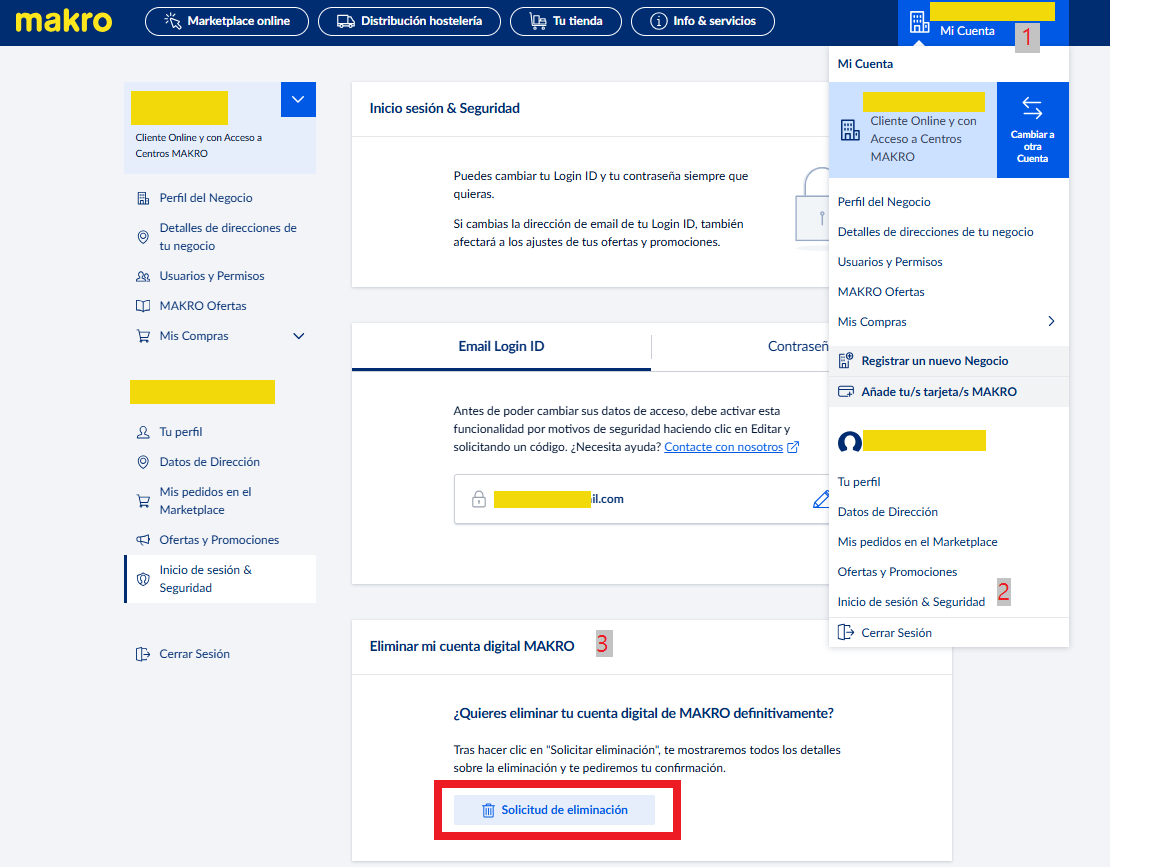
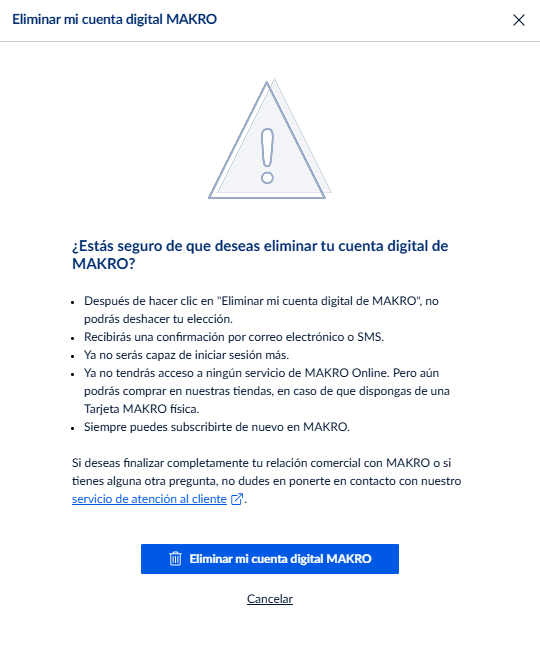
4. Once you select the button with the bin icon, you'll see the following message warning us about the consecuences of deleting the account.
APP
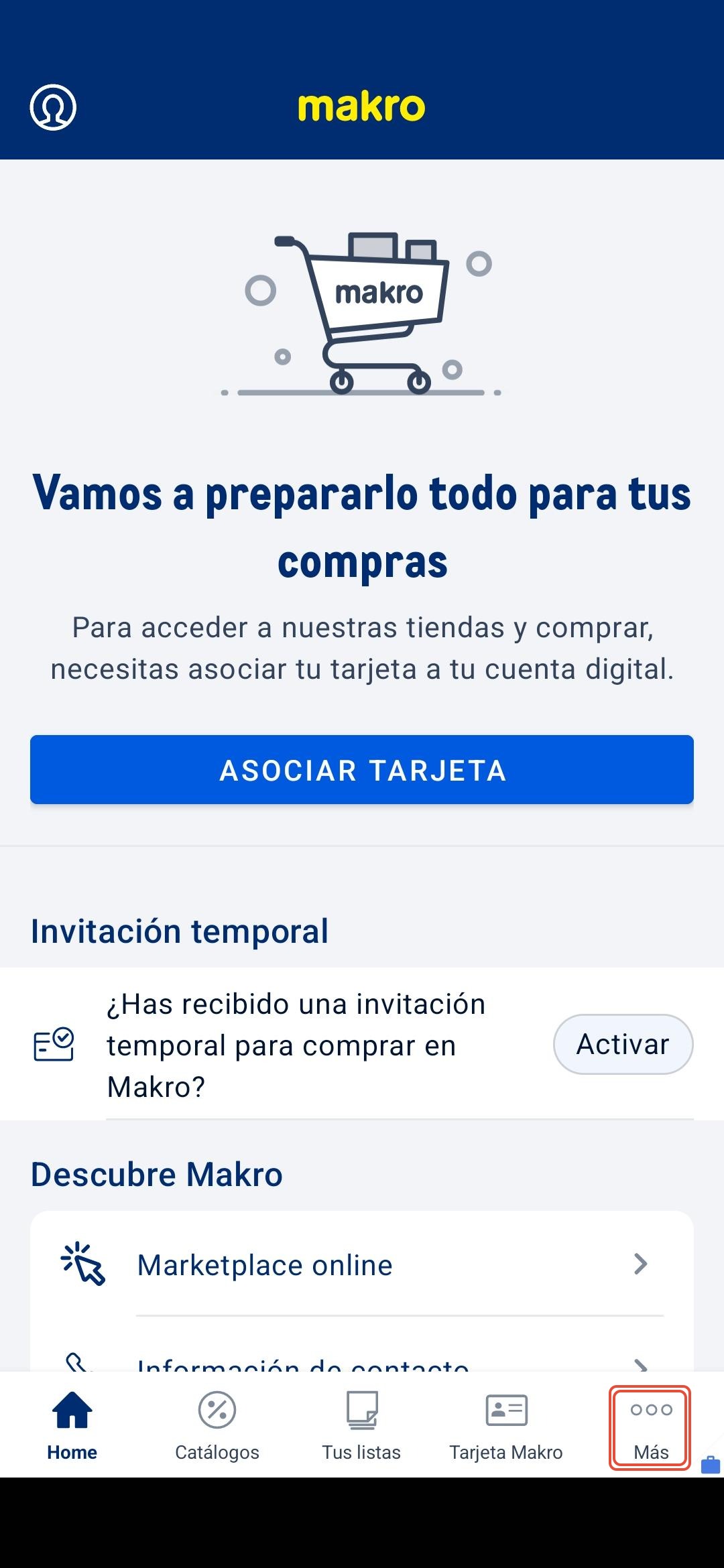 | Log in and select in the menu below the button 'Más / More' |
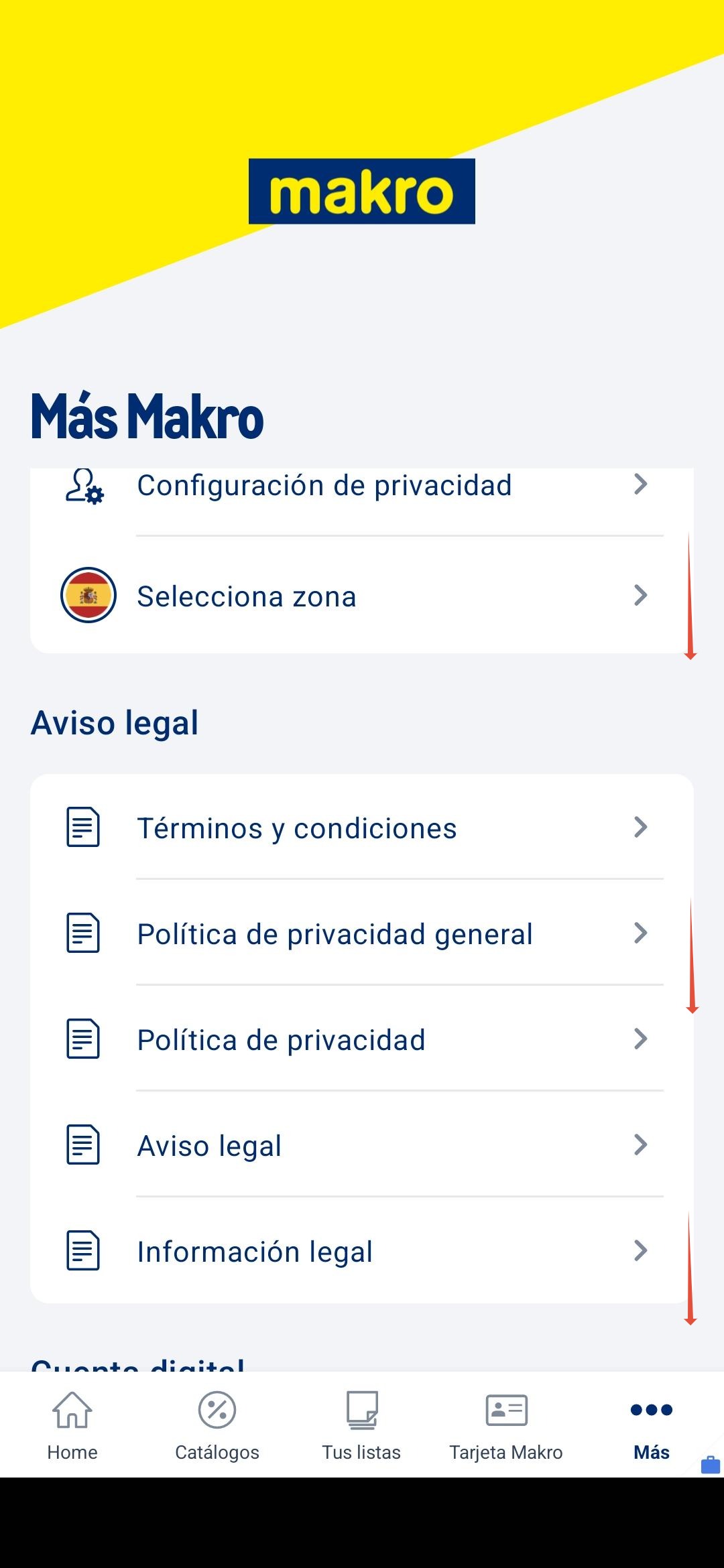 | Scroll down until the end of the list. |
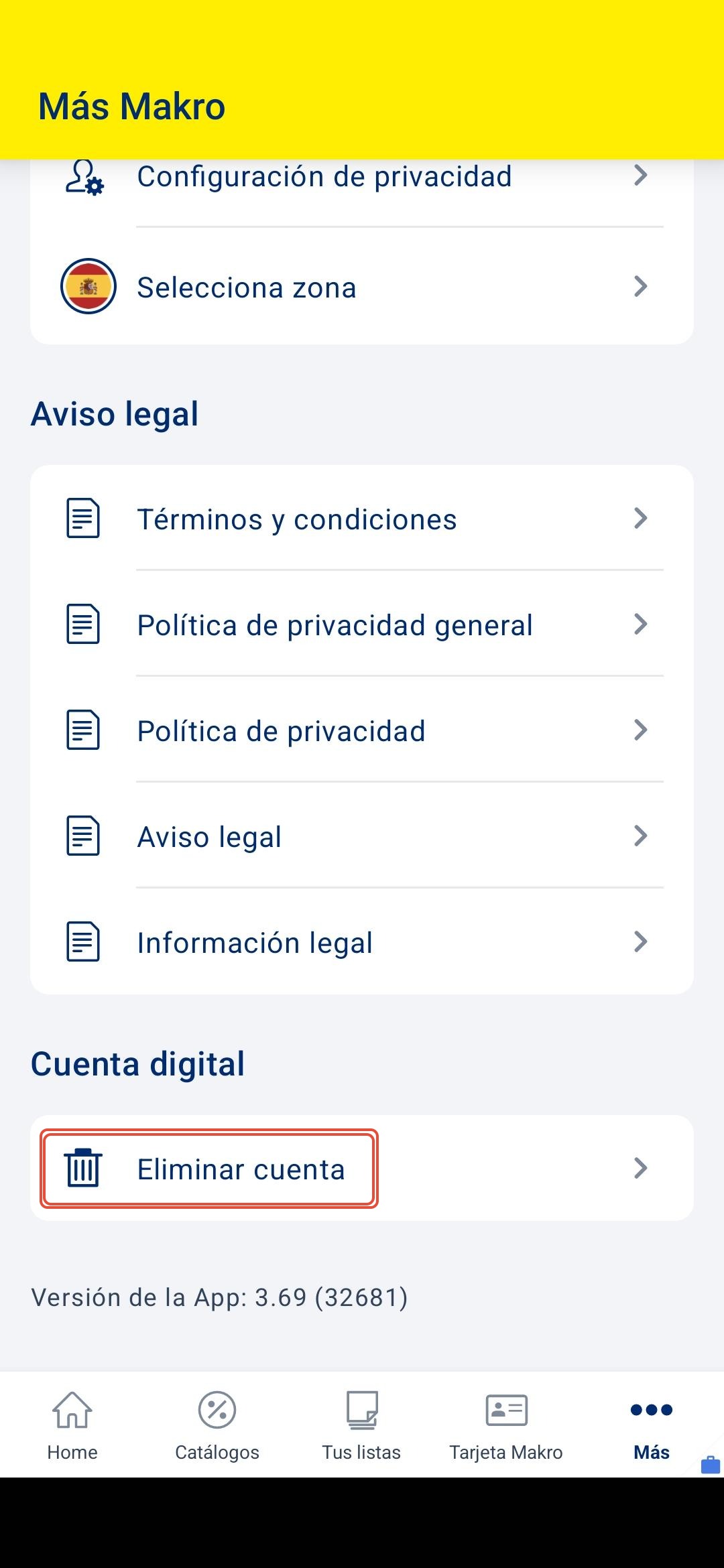 | Select 'Eliminar cuenta / Delete account' to erase your account. |
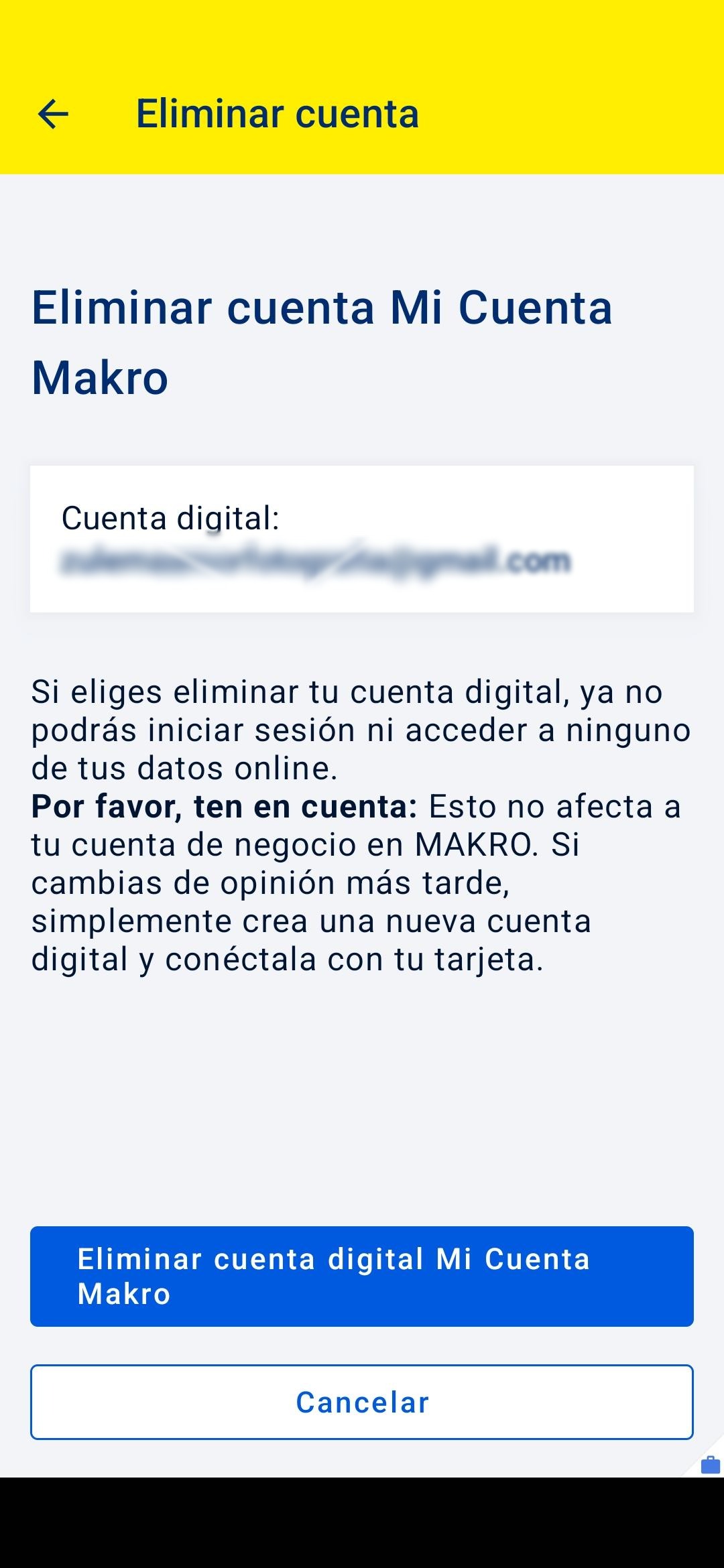 | Confirm the process by pressing the blue button. Please read carefuly about the consecuences of deleting the account before proceeding. |
If you want to delete or cancel your whole client data, please reach us to lopd@makro.es tu submit your request.
Remember, if you need further information about your inquiry, you can contact us by calling 900 907 503 or through our contact section on our website https://www.makro.es/contacto-makro |
Was this article helpful?
That’s Great!
Thank you for your feedback
Sorry! We couldn't be helpful
Thank you for your feedback
Feedback sent
We appreciate your effort and will try to fix the article