Yes, you can have any staff provided with a Makro card so they can buy products for your business.
To manage your staff members and permissions, you must have a digital profile. From the website, you will be able to create, modify, and delete your authorized buyers (see instructions below).
To add your authorized users, follow the steps below:
- Log in to www.makro.es with your username and password as the account holder/administrator. Select My Account in the upper right corner, then Users and Permissions, and finally Add.
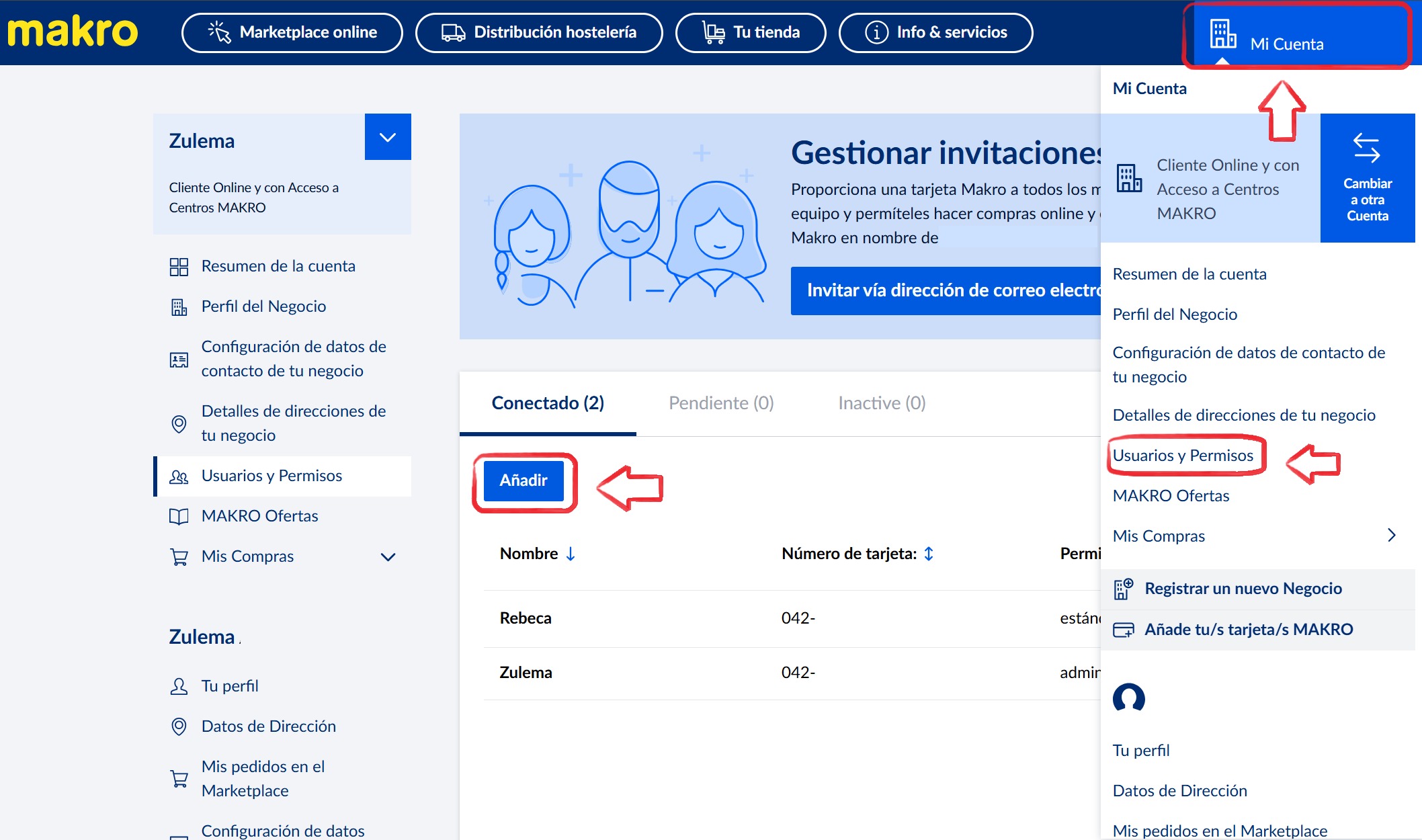
- Complete the informationby entering their email address, full name, and selecting the user permissions:
a) Standard for general purchases
b) Administrator to also manage other authorized users and edit your business details
- Click Send Invitation. Invited members will receive a personalized link to join your business. Once they accept your invitation, they can create their personal login and will be able to shop online for your business. They simply need to follow the steps after accepting the invitation sent to their email.
Remember that when making purchases on behalf of your company, invoices will be associated with your tax address, meaning they cannot be used for personal purchases.
Important: Keep your list of authorized buyers up to date to maintain control over who is allowed to purchase on behalf of your business.
If you will to provide temporary access, you can learn how to grant a short term invitation here.
Remember, if you need further information about your inquiry, you can contact us by calling 900 907 503 or through our contact section on our website https://www.makro.es/contacto-makro |
Was this article helpful?
That’s Great!
Thank you for your feedback
Sorry! We couldn't be helpful
Thank you for your feedback
Feedback sent
We appreciate your effort and will try to fix the article